How to Create an Expense Category
Introduction
Creating expense categories is crucial for organizing your business finances effectively. This guide will walk you through the process of creating an expense category in the Merchant Dashboard, helping you streamline your expense tracking and reporting. By categorizing your expenses, you'll be able to better analyze your spending patterns and make informed financial decisions.
Let’s dive in!
To begin
- Log into your Duplo Dashboard
- Click on Settings and select Expense Categories
- Click Create Expense Category
- Fill in the required fields and click Create. as shown below:
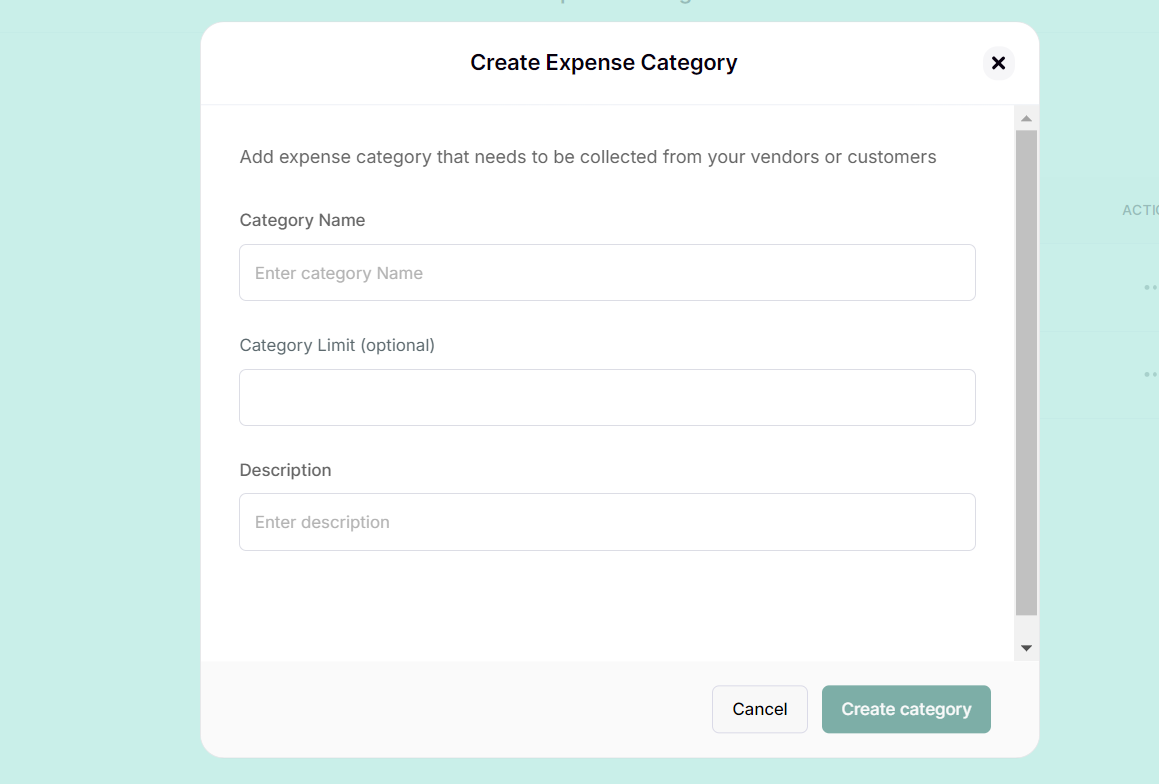
You have successfully created an expense category. Learn how to create an expense by clicking here
Related Articles
How to Create an Expense Category
Introduction Creating expense categories is crucial for organizing your business finances effectively. This guide will walk you through the process of creating an expense category in the Merchant Dashboard, helping you streamline your expense ...How to raise an Expense
Introduction To make local payments to vendors, suppliers and clients, you’ll first need to Create an Expense. This is essential for managing your business finances effectively, budgeting, tax compliance, and overall financial health. This guide will ...How to Pay an Expense
Introduction Once an expense is raised, an approver must approve it before payment can be made. This guide will walk you through processing and paying expenses on our platform. Whether you're handling reimbursements or company expenditures, you'll ...How to Pay an Expense
Introduction Once an expense is raised, an approver must approve it before payment can be made. This guide will walk you through processing and paying expenses on our platform. Whether you're handling reimbursements or company expenditures, you'll ...Expenses Frequently Asked Questions
Expenses This section provides answers to common questions about managing expenses, including how to create an expense, submit receipts, review and approve expenses, and complete payment processing. It is designed to guide users through each stage of ...