How to Set up Approval Workflow
Introduction
Approval workflows are essential for maintaining control and accountability in your business operations. With Duplo, setting up an approval workflow ensures that expenses and transactions go through the right checks before being finalized. This guide will walk you through the steps to set up an efficient approval workflow, helping you streamline decision-making and maintain proper oversight.
Let’s dive in!
To begin
- Login to your Duplo Dashboard
- Click on Settings and select Approval workflow.
- Click on Create Workflow
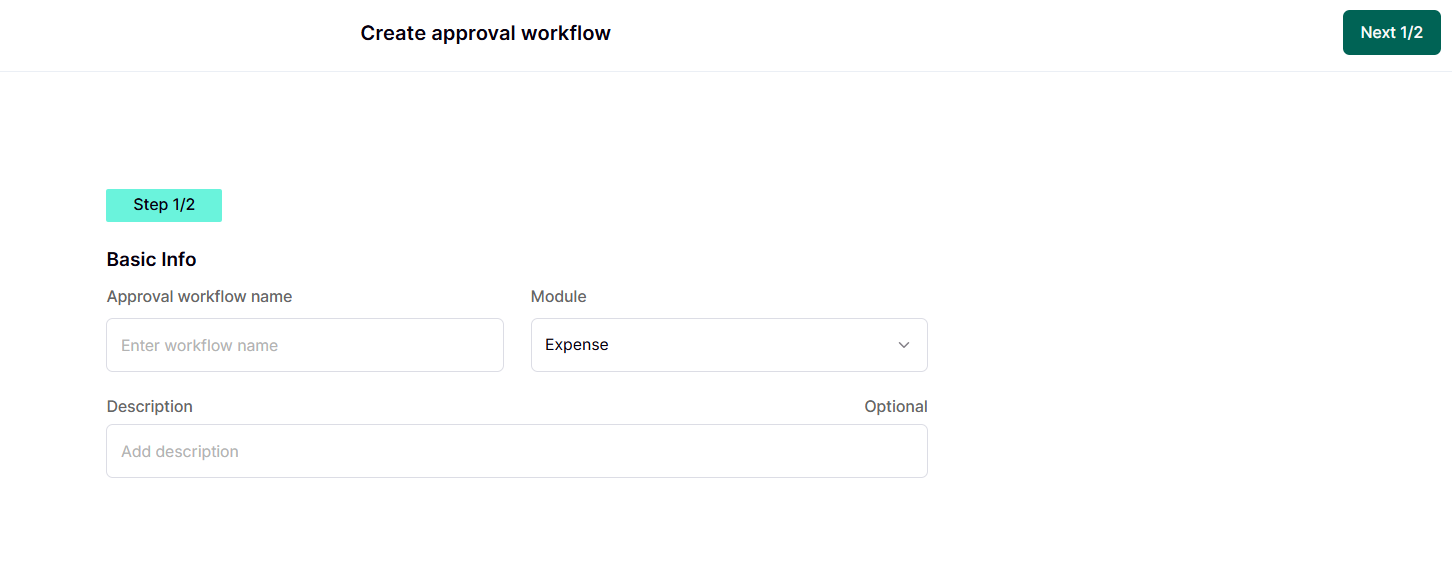
- You will be directed to name the workflow and add a description (optional) as shown below:
- Click on Next
- Name and modify the workflow stages to align with your business needs.
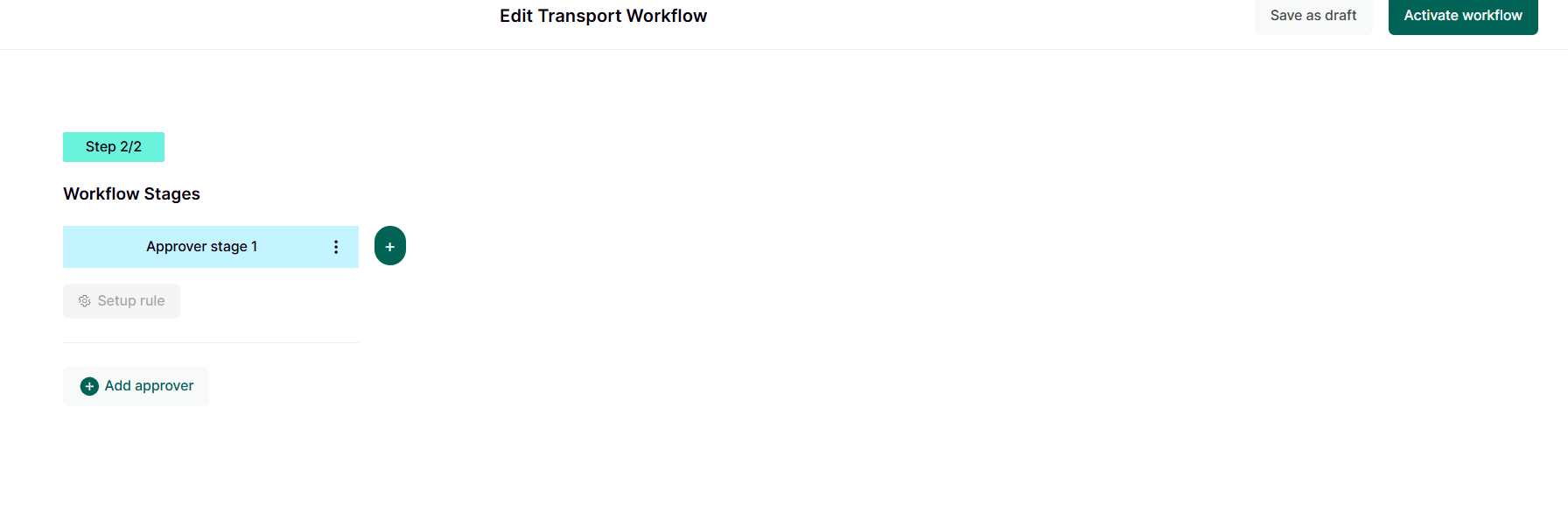
- To rename or delete stages, click on the three dots beside the first stage as shown above.
- To add more stages, click on the plus (+) sign as shown above.
- To add approvers to each stage, click on Add Approver. A drop-down menu of users with the approver role will appear for you to select from. To learn how to add users, click here.
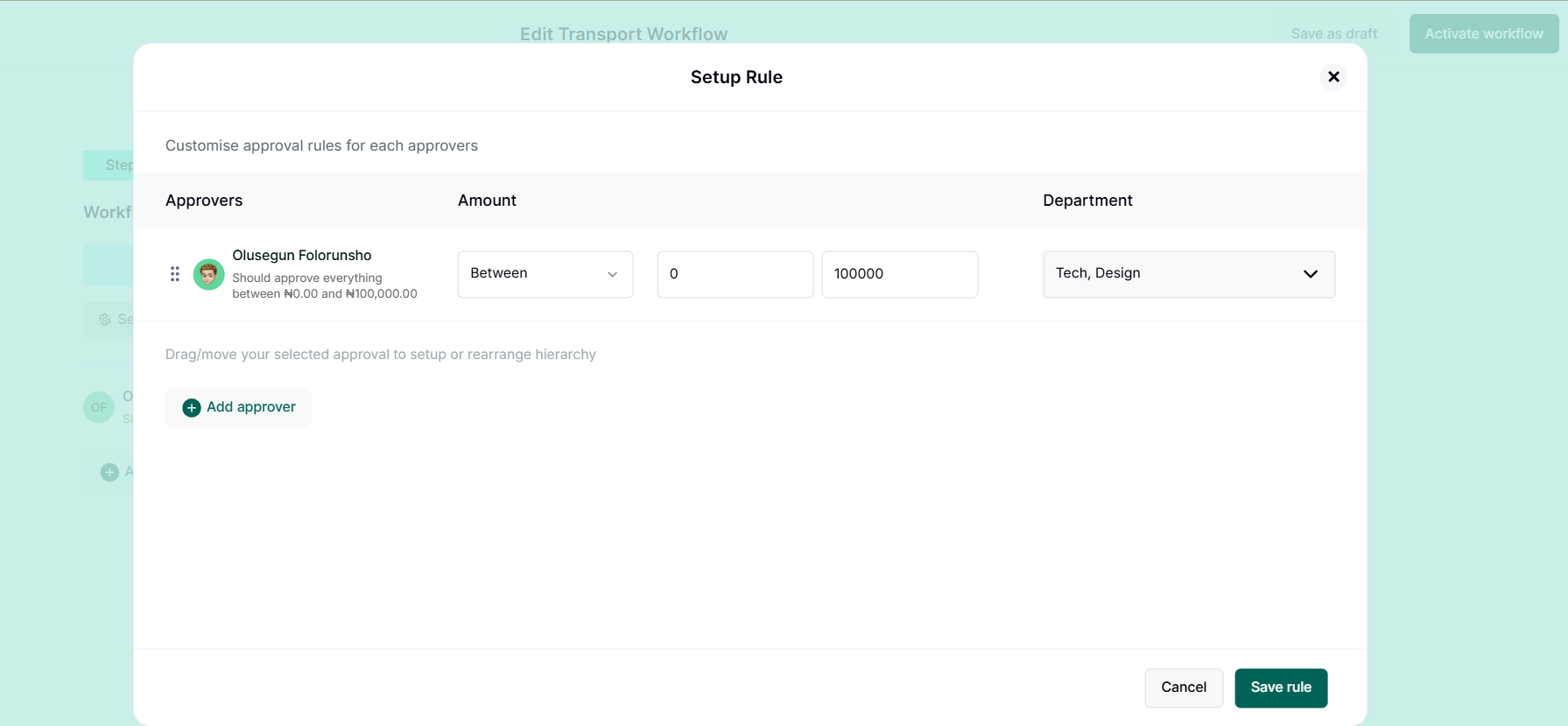
- Once you've added an approver, you can set up a rule. This allows you to modify what an approver can do at each stage. For example, you might want an approver to only handle expenses from the sales department and approve amounts between ₦100–₦100,000. This means expenses from the product department won't appear on that approver's board, and expenses above ₦100,000 won't be sent to that approver. After setting up the rule, click on the Save rule. Reference the picture shown below:
- Click on Activate workflow to finish the process.
Congratulations! You've successfully set up workflow on your business You can now create expenses that go through the workflow. To learn how to create an expense, click here
Frequently Asked Questions
- Can I have multiple approvers on a stage?
- Yes, you can just click on Add Approver
Related Articles
How to Set up Approval Workflow
Introduction Approval workflows are essential for maintaining control and accountability in your business operations. With Duplo, setting up an approval workflow ensures that expenses and transactions go through the right checks before being ...Expenses Frequently Asked Questions
Expenses This section provides answers to common questions about managing expenses, including how to create an expense, submit receipts, review and approve expenses, and complete payment processing. It is designed to guide users through each stage of ...How to Set up Direct Debit
Introduction Setting up direct debit makes it easy to collect recurring payments directly from your customers’ bank accounts. This guide will walk you through how to set up direct debit on your merchant dashboard. Direct debit enables direct payment ...How to Set up Direct Debit
Introduction Setting up direct debit makes it easy to collect recurring payments directly from your customers’ bank accounts. This guide will walk you through how to set up direct debit on your merchant dashboard. Direct debit enables direct payment ...How to Set up Two-factor Authentication
Introduction Two-factor authentication (2FA) adds an extra layer of security to your Duplo account, ensuring that only authorized users can access sensitive business information. This guide will show you how to enable and set up 2FA, providing ...